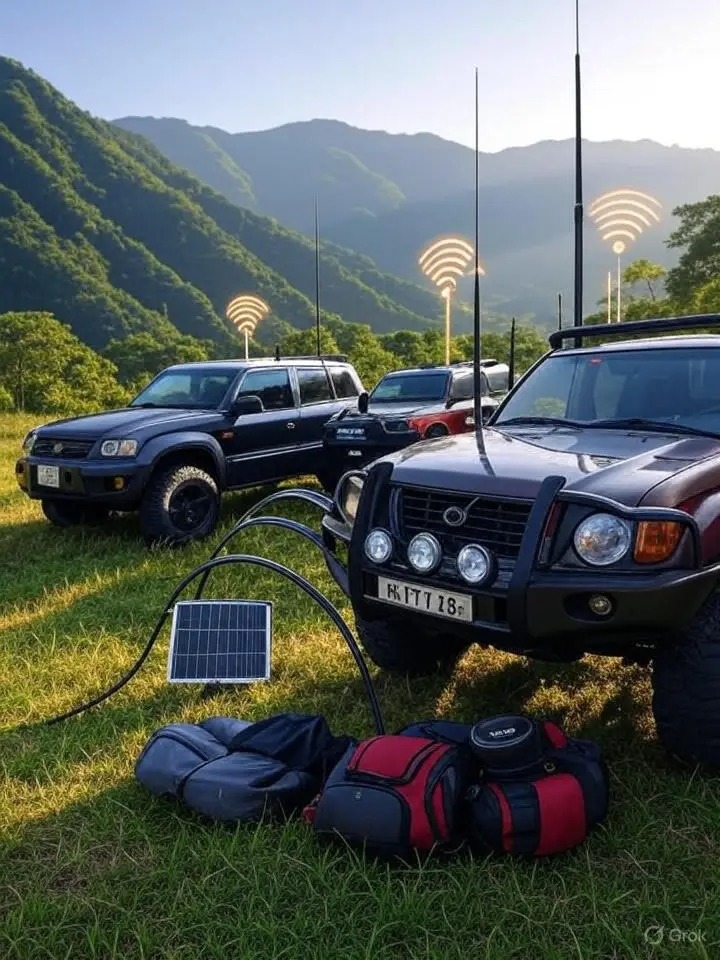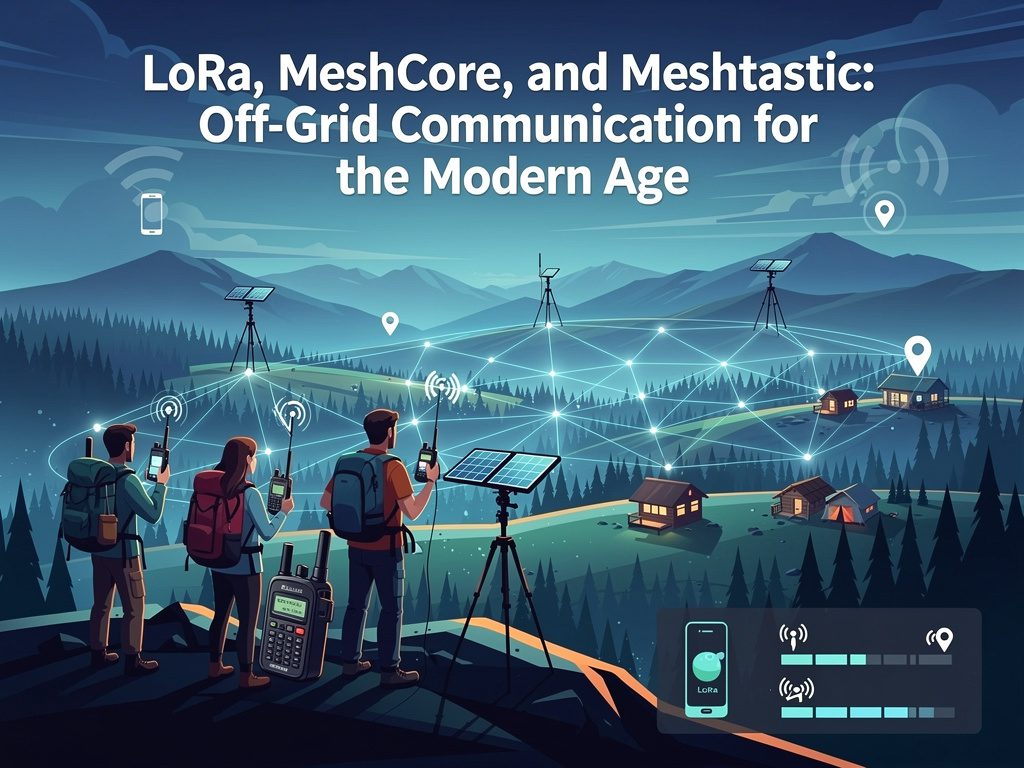
There's a quiet revolution happening in the world of wireless communication, and it doesn't require a cell tower, an internet connection, or a monthly subscription. A combination of long-range radio technology and open-source mesh networking software is putting resilient, decentralized communications in the hands of everyday users — from backcountry hikers to emergency preparedness teams to amateur radio operators. At the center of it all are three interconnected concepts: LoRa, MeshCore, and Meshtastic.
Affiliate Disclosure:“Just so you know, some of the links on this page are affiliate links. This means if you decide to make a purchase through one of those links, I might earn a small commission at no extra cost to you. Your support helps keep this content going—thank you!”
LoRa: The Radio Technology That Started It All
Before you can understand mesh networking, you need to understand the radio technology that makes it possible. LoRa — short for Long Range — is a proprietary wireless modulation technique developed by Semtech Corporation. It uses a spread-spectrum technique called Chirp Spread Spectrum (CSS), which encodes data by sweeping a signal across a range of frequencies in a chirp pattern. The result is a signal that is extraordinarily resistant to interference and can be decoded even when it arrives far below the noise floor.
In practical terms, LoRa is capable of sending small data packets over distances of 2 to 15 kilometers in open terrain, with some users reporting even greater range under ideal conditions. That performance comes with a tradeoff: LoRa is a low-bandwidth technology. It’s not designed for voice calls or video streaming. It excels at exactly what mesh networking needs — sending short text messages, GPS coordinates, telemetry data, and status updates with minimal power consumption.
Most LoRa-based devices operate in the license-free ISM bands — 915 MHz in North America, 868 MHz in Europe, and 433 MHz in some other regions. For licensed amateur radio operators, LoRa transceivers can also be used on Part 97 frequencies with proper identification, opening up additional operating possibilities.
The hardware itself is inexpensive. A LoRa module can cost as little as a few dollars, and complete development boards with integrated GPS, display, and battery management are available for under $30. This accessibility is a major reason why the LoRa ecosystem has exploded with open-source projects.
Meshtastic: Mesh Networking for the Masses
If LoRa is the engine, Meshtastic is the most popular vehicle built around it. Meshtastic is an open-source project that turns inexpensive LoRa hardware into a fully functional, encrypted mesh communication network — with no infrastructure required.
How It Works
In a Meshtastic network, every device is both a receiver and a repeater. When you send a message, your device transmits it via LoRa radio. Any Meshtastic node within range that receives the packet will automatically rebroadcast it, extending the effective range of the network far beyond what a single radio hop could cover. This process — called flooding with hop limiting — ensures messages propagate through the network without requiring any centralized routing logic. By default, Meshtastic limits each packet to a maximum of three hops, preventing the network from being flooded by endlessly bouncing packets.
Meshtastic nodes can connect to a smartphone via Bluetooth or Wi-Fi, and the companion app — available for both Android and iOS — provides a clean interface for sending messages, viewing a map of other nodes, and monitoring network telemetry. The app doesn’t require an internet connection to communicate with other Meshtastic users; it’s purely a front-end for the radio network.
Security and Privacy
All Meshtastic traffic is encrypted using AES-256, the same standard used to protect classified government communications. Messages are encrypted end-to-end between nodes sharing the same channel key, meaning that even if a third party is listening on the frequency, the content of your messages remains private. This makes Meshtastic a practical choice not just for casual outdoor use, but for operational communications in scenarios where privacy matters.
Supported Hardware
Meshtastic runs on a growing list of hardware platforms. Some of the most popular include:
Heltec Wireless Tracker / HTIT-Tracker — compact form factor with integrated GPS
LilyGO T-Beam — popular for mobile use, includes GPS and battery management
RAK WisBlock — modular platform favored by more advanced builders
Heltec LoRa 32 — budget-friendly option for fixed node deployments
Most of these devices are available from Chinese electronics vendors for $25–$60, making it easy to build out a multi-node network without significant investment.
Use Cases
Meshtastic has found its way into a wide range of real-world applications:
Backcountry and wilderness communication — hikers and hunters use it to stay in contact when cell service is nonexistent
Emergency preparedness and CERT teams — neighborhood-level mesh networks provide communications during power outages and infrastructure failures
Event coordination — festival organizers and volunteer teams use it for staff communication without tying up cellular bandwidth
Amateur radio digital experimentation — licensed operators explore Meshtastic as a modern digital mode with real utility
MeshCore: A Leaner Alternative with a Different Philosophy
While Meshtastic has dominated the LoRa mesh networking conversation, it’s not the only option. MeshCore is a newer, open-source firmware project that targets the same LoRa hardware but takes a fundamentally different approach to how a mesh network should be built and managed.
Routing vs. Flooding
The most significant difference between Meshtastic and MeshCore is how each handles message routing. Meshtastic uses the flooding model described above — relatively simple to implement, but potentially inefficient in larger networks where many nodes are rebroadcasting the same packets.
MeshCore uses a store-and-forward, client-server architecture with explicit routing. In a MeshCore network, certain nodes are designated as repeaters or infrastructure nodes that handle routing decisions, while client devices query those repeaters to retrieve messages. This design significantly reduces unnecessary radio traffic and scales more efficiently in dense deployments. It also supports asynchronous message delivery — you can leave a message on a repeater node, and the intended recipient can retrieve it even if they weren’t online when it was sent.
Who MeshCore Is Designed For
MeshCore positions itself as a more sophisticated tool for users who want more control over their network architecture. It’s particularly well-suited for:
Deployed tactical networks where bandwidth efficiency matters
Repeater-based infrastructure covering a defined geographic area
Privacy-focused operators who prefer controlled routing over open flooding
Integration with BBS-style message boards — MeshCore supports a simple bulletin board system that allows nodes to post and retrieve messages in a structured way
MeshCore runs on the same hardware as Meshtastic, including the popular LilyGO T-Echo and various ESP32-based LoRa boards. The project is actively developed and has a growing community, though it remains smaller and less mature than Meshtastic at this point.
Meshtastic vs. MeshCore: Choosing the Right Tool
The question of which platform to use isn’t really about which is “better” — it’s about what you’re trying to accomplish.
Factor | Meshtastic | MeshCore |
|---|---|---|
Ease of setup | Very easy — official app, plug and play | Moderate — requires more configuration |
Network model | Flooding (broadcast) | Store-and-forward (routed) |
Message delivery | Real-time only | Asynchronous supported |
Scalability | Good for small networks | Better for larger, structured networks |
Community size | Large, very active | Smaller, growing |
Documentation | Extensive | Developing |
Best for | Casual use, events, small groups | Deliberate deployments, tactical use |
If you’re getting started or building a neighborhood emergency communication network, Meshtastic is almost certainly the right choice. It’s easy to set up, well-documented, and has a massive user community producing tutorials, hardware recommendations, and support. If you’re a more advanced operator who wants to build a structured network with dedicated repeater infrastructure and efficient routing, MeshCore deserves a serious look.
The Bigger Picture: Why This Matters
What LoRa-based mesh networking represents is something genuinely significant: resilient communication that survives infrastructure failure. When hurricanes, earthquakes, or other disasters knock out cell towers and internet connectivity, a pre-deployed mesh network keeps operating. When you’re 40 miles from the nearest tower on a hunting lease, a pocket-sized LoRa device keeps your group connected. When OPSEC matters and you’d rather not route your communications through a commercial carrier’s servers, an encrypted mesh network provides an alternative.
For amateur radio operators in particular, LoRa mesh networking sits at an interesting intersection of digital experimentation and practical utility. It’s not a replacement for traditional VHF/UHF voice communication, but it fills a specific niche — persistent, encrypted, GPS-aware text messaging over distances that would challenge even a decent handheld radio.
The hardware is cheap, the software is free, and the learning curve is surprisingly manageable. Whether you’re building out an EMCOMM capability for your neighborhood, experimenting with off-grid communication, or just want a way to stay connected on the trail, LoRa mesh networking is worth the time it takes to understand it.
LoRa Mesh Networks: Hardware, Deployment, and Ham Radio Integration
Now that you understand the fundamentals of LoRa mesh networking, it’s time to get practical. Choosing the right hardware, deploying nodes intelligently, and understanding where amateur radio fits into the picture will determine whether your mesh network is a useful tool or an expensive pile of blinking circuit boards. This guide cuts through the noise.
Hardware Recommendations
The LoRa hardware ecosystem is sprawling and inconsistent. Some devices are polished, well-documented, and reliable out of the box. Others are cheap, quirky, and require patience. Here’s a curated breakdown of the hardware that actually delivers.
Tier 1: Best Overall Picks
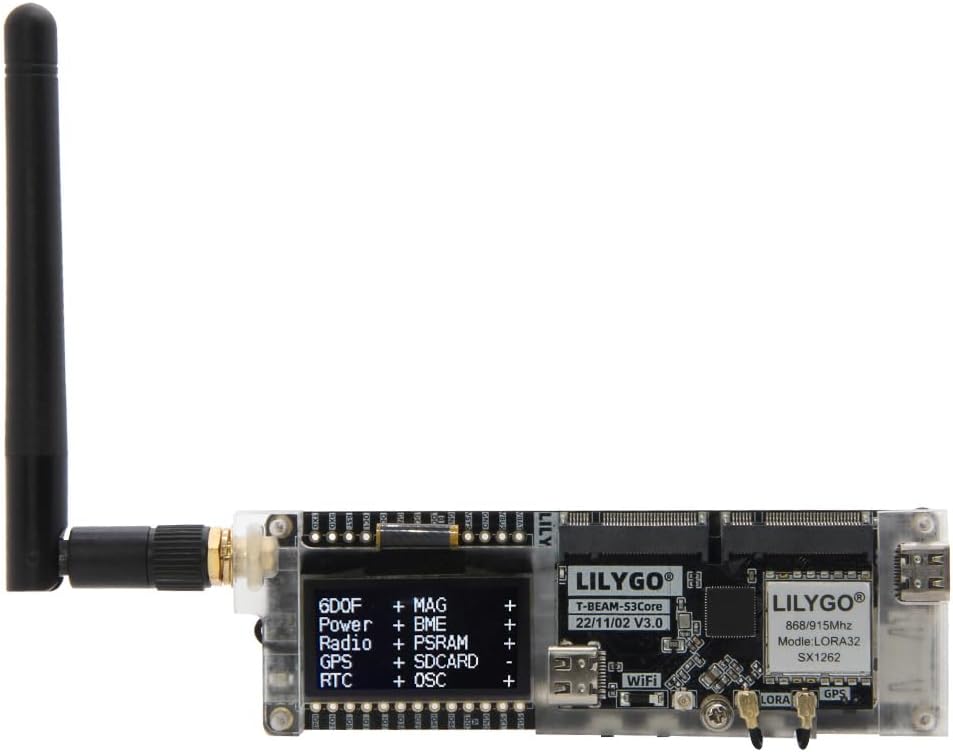
LilyGO T-Beam Supreme (MEshtastic)
~$35–$45 | Recommended for: Mobile and portable use
The T-Beam platform has been a Meshtastic community staple for years, and the Supreme revision addresses most of the complaints about earlier versions. It features an integrated u-blox M10 GPS module for fast, accurate position fixes, a proper 18650 battery holder with onboard charging, a 1.3-inch OLED display, and a dedicated AXP2101 power management IC that significantly improves battery life over earlier T-Beam models. The ESP32-S3 variant also adds more processing headroom and better Bluetooth performance.
For someone who wants a single device to carry in the field, this is the starting point. Pair it with a quality 3500mAh 18650 cell and you’re looking at 12–20 hours of runtime depending on transmission interval settings.
Caveat: The T-Beam form factor is a bit chunky for shirt-pocket carry. Think chest pocket or pack strap mount. The unit requires a case for use.
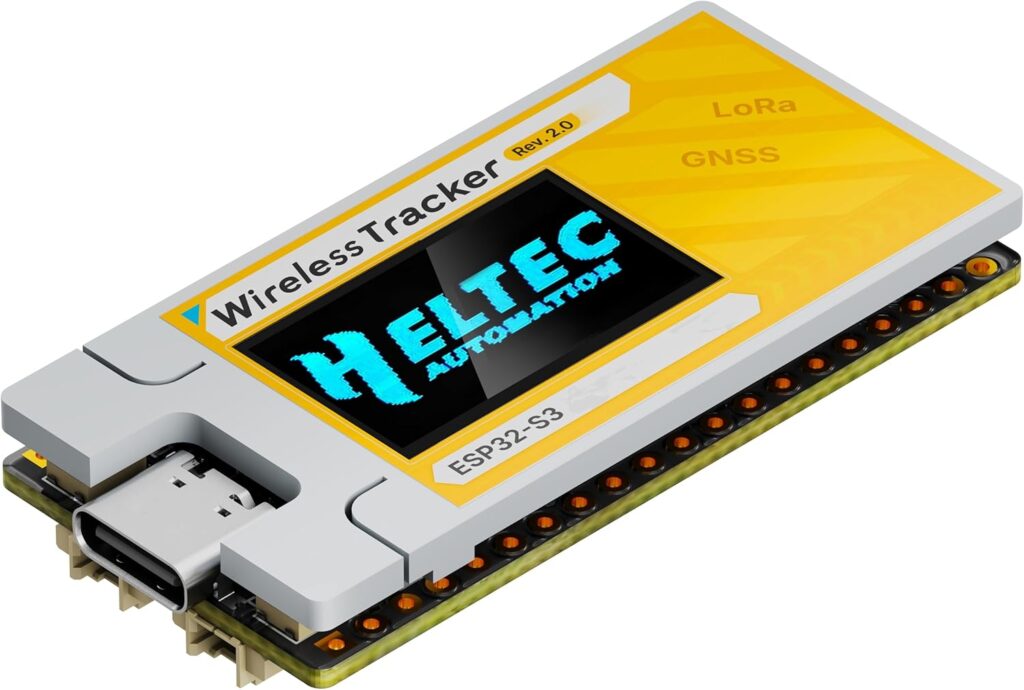
Heltec V3 / Heltec Wireless Tracker
~$15–$28 | Recommended for: Fixed nodes, budget builds
The Heltec V3 is one of the most affordable capable LoRa boards available, built around the ESP32-S3 with a 0.96-inch OLED display. It’s small, light, and well-supported in both Meshtastic and MeshCore firmware. The downside is no integrated GPS and no onboard battery management — you’ll need to add those externally if you want a standalone node.
The Wireless Tracker variant adds a compact GPS module and a slightly better antenna connector, making it a more complete option for mobile deployments without paying T-Beam prices.
These boards shine as solar-powered fixed nodes — low cost, low power draw, easy to weatherproof in a project enclosure.
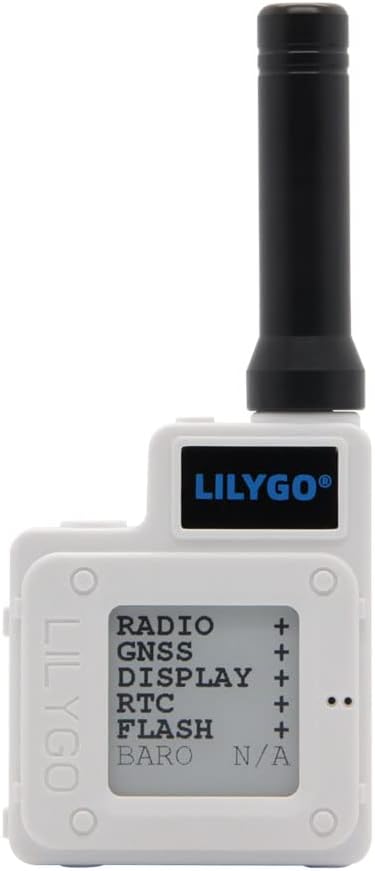
LilyGO T-Echo
~$45–$55 | Recommended for: MeshCore users, low-power priority
The T-Echo is built around the nRF52840 microcontroller rather than the ESP32 found in most other LoRa boards, and that distinction matters. The nRF52840 is a purpose-built BLE SoC with significantly better sleep current, which translates to dramatically longer battery life on a small LiPo cell. It also has an integrated e-paper display that consumes zero power when not updating — ideal for nodes that need to display status without draining the battery.
The T-Echo is particularly popular in the MeshCore community due to its efficient power profile and the nRF52840’s solid BLE stack. If you’re building a carried device that needs to last multiple days between charges, this is the hardware to use.
Caveat: The ESP32-based boards have stronger Wi-Fi capability and more community firmware support. The T-Echo trades that breadth for power efficiency.
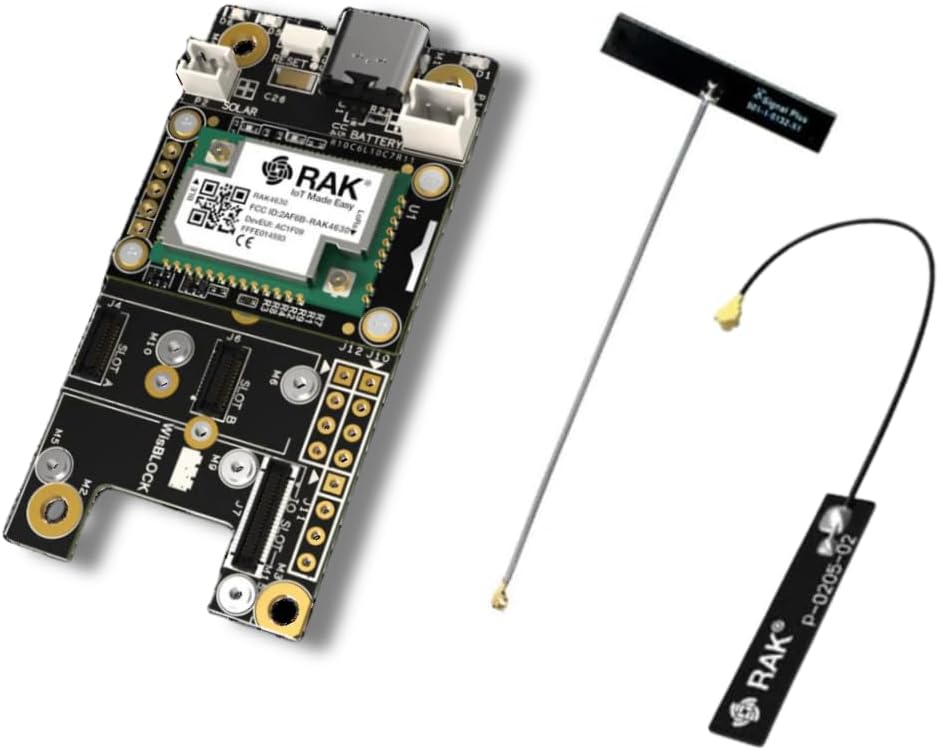
RAK WisBlock Modular Platform
~$30–$80 depending on configuration | Recommended for: Custom builds, infrastructure nodes
RAK’s WisBlock system is a modular ecosystem — a base board accepts interchangeable modules for GPS, LoRa radio, sensors, and interfaces. It’s not the easiest platform to get started with, but it offers the most flexibility for purpose-built deployments. Solar input, environmental sensors, external storage, and multiple radio modules can all be integrated in a clean, stackable package.
For building a dedicated solar repeater node intended to sit on a rooftop or tower for years with minimal maintenance, WisBlock is the platform most serious infrastructure builders gravitate toward.
Antennas: Don’t Cheap Out Here
The single most impactful upgrade you can make to any LoRa node is the antenna. The stock stubby antennas included with most hardware are functional at best. Replacing them yields measurable range improvement.
For mobile/handheld nodes: A 915 MHz whip antenna with an RP-SMA connector in the 5–6 dBi range. The Taoglas FXP73 or similar flexible PCB antenna works well in enclosed enclosures.
For fixed/infrastructure nodes: A fiberglass vertical omni in the 5–9 dBi range mounted as high as possible. The Linx ANT-916-CW-HWR-SMA or equivalent is a solid starting point.
For directional links: A Yagi or patch antenna for point-to-point node connections across longer distances, such as linking a hilltop repeater to a base node in a valley.
Use LMR-240 or LMR-400 coax for any feed line runs longer than a few feet. Cheap RG-58 will eat your signal.
Node Deployment Strategies
Good hardware deployed badly will still underperform. The geometry and placement of your mesh network matters as much as the gear itself.
The Three-Layer Model
Think of a well-designed mesh network in three layers:
Infrastructure nodes — Fixed, elevated, solar-powered or grid-tied. These are the backbone of the network, providing wide-area coverage and acting as store-and-forward relays. Ideally placed on rooftops, hilltops, or communication towers. Two or three well-placed infrastructure nodes can provide coverage over a significant geographic area.
Area nodes — Fixed or semi-permanent nodes deployed at homes, vehicles, or command posts. These connect to the infrastructure layer and provide local relay capability. Typically powered by AC adapter or vehicle power with battery backup.
Client nodes — Handheld or portable devices carried by individuals. These are the endpoints — the devices people actually use to send and receive messages. They rely on infrastructure and area nodes to extend their range.
Elevation is Everything
LoRa operates in UHF/lower microwave frequencies where line of sight dominates. A node on the ground in a wooded area may cover 300 meters. The same node elevated 30 feet on a mast with clear sky exposure may cover 5 kilometers. When planning your network, identify the highest accessible points in your coverage area and prioritize those locations for infrastructure nodes.
A single well-placed hilltop node can often tie together multiple lower-level nodes that otherwise couldn’t reach each other, transforming a fragmented collection of short-range devices into a coherent network.
Solar Node Construction
A self-sustaining solar node is simpler to build than most people expect. The basic bill of materials:
LoRa board (Heltec V3 or RAK WisBlock recommended)
5W–10W solar panel — adequate for maintaining charge in most US latitudes
18650 LiPo battery pack or LiFePO4 cell — LiFePO4 is preferable for outdoor installations due to wider temperature tolerance
TP4056 or CN3791 solar charge controller module
Weatherproof ABS enclosure (Hammond 1591 series or equivalent)
Appropriate antenna with outdoor-rated coax feedthrough
Set the node’s transmission interval to 15–30 minutes for position beaconing if GPS is installed. For pure relay function with no GPS, the node draws minimal power and a 5W panel with a 3000mAh cell will maintain charge through all but the darkest weeks of winter at most latitudes.
Channel Planning and Network Isolation
By default, all Meshtastic nodes ship configured for the LongFast channel preset — the “default” public channel that anyone with a Meshtastic device can see. This is fine for casual use and finding other local nodes, but for a private group or operational network, you should configure a custom channel with a unique PSK (pre-shared key). This encrypts your traffic and logically separates your network from the public mesh.
In MeshCore, the repeater/client architecture inherently provides more network isolation, but channel planning and access control are still important considerations for any multi-operator deployment.
Integration with Amateur Radio Operations
Here’s where LoRa mesh networking gets genuinely interesting for licensed amateur radio operators — and where some important regulatory nuance comes in.
Part 97 Considerations
By default, Meshtastic and MeshCore operate on 915 MHz in North America under Part 15 (unlicensed) rules, which impose strict power limits (typically 1W EIRP or less). For most mesh deployments, this is perfectly adequate.
However, amateur radio operators have the option of running LoRa hardware on Part 97 frequencies with higher power levels, provided they comply with Part 97 rules:
Transmissions must be identified with the operator’s callsign at regular intervals (every 10 minutes during a contact, and at the end)
Encrypted content is not permitted under Part 97 for most purposes — this is a critical distinction, since both Meshtastic and MeshCore use AES encryption by default
Third-party traffic rules apply for any message content passed through the network
This means that if you want to run a ham radio LoRa mesh under Part 97, you need to disable encryption and implement callsign identification. Meshtastic supports both — encryption can be disabled per-channel, and a ham callsign can be set in the node configuration where it will be appended to transmissions.
The practical implication: use Part 15 (915 MHz, encrypted) for privacy-sensitive operational communications, and Part 97 (with ID and no encryption) for higher-power infrastructure nodes in an EMCOMM context where interoperability and range matter more than message privacy.
APRS Integration
One of the most useful integrations available in Meshtastic is APRS gateway functionality. Nodes with internet connectivity can be configured to bridge Meshtastic position data to the APRS-IS network, making your mesh-connected nodes visible on sites like aprs.fi alongside traditional APRS stations.
This is particularly useful for EMCOMM operations where incident command may be monitoring APRS for unit positions, but field teams are using Meshtastic devices rather than traditional APRS trackers. The integration is bidirectional on some gateway configurations — APRS position data can also be injected into the Meshtastic network.
For ham operators already invested in APRS infrastructure, this bridge turns your existing APRS digipeater or iGate into a Meshtastic gateway with relatively modest additional hardware.
Winlink and LoRa: A Developing Integration
The Winlink ecosystem — the store-and-forward email system widely used in emergency communications — has begun exploring LoRa as an additional RF transport layer alongside its traditional HF, VHF packet, and VARA modes. While not yet as mature as the Meshtastic APRS integration, LoRa-based Winlink nodes are an active area of development in the ham radio community.
For EMCOMM operators who depend on Winlink for message traffic to served agencies, keeping an eye on this space is worthwhile. The combination of LoRa’s low power requirements and Winlink’s proven message handling architecture has obvious appeal for deployed operations.
EMCOMM Deployment Architecture
For an amateur radio emergency communications deployment that integrates LoRa mesh networking, a practical architecture looks like this:
Level 1 (wide area): VHF/UHF voice net on a local repeater for real-time coordination. All operators maintain a radio on the net frequency.
Level 2 (mesh data): Meshtastic network (encrypted, Part 15) for GPS tracking, text messaging, and resource status updates between field units and EOC.
Level 3 (message traffic): Winlink gateway (HF or VHF/UHF) for formal message traffic to served agencies and outside the immediate operating area.
Each layer handles what it’s best suited for. Voice is fast but leaves no record. Mesh handles persistent data without occupying the voice frequency. Winlink handles formal traffic that needs to survive beyond the incident.
Putting It Together
The barrier to entry for LoRa mesh networking has never been lower. For under $150, you can have a three-node network covering several square miles, running encrypted communications completely independent of any external infrastructure. For a licensed amateur radio operator with an eye toward emergency preparedness, integrating that capability with existing APRS and Winlink infrastructure turns it into something genuinely formidable.
The technology is mature enough to be reliable. The community is large enough that answers to nearly any question are a forum search away. The only remaining variable is the time you’re willing to invest in deployment and configuration — and for most operators, that investment pays dividends quickly.